How a Cylinder Tube Packaging 3D Mockup Bundle Can Simplify Your Product Launches
You’ve spent time perfecting a formula for a new skincare serum, a specialty tea blend, or a premium candle. The product itself is ready, but now you need to show it to the world—whether that’s a buyer for a boutique store, an investor at a pitch meeting, or a customer scrolling through Instagram. That’s when packaging visuals become everything. A flat label on a plain background rarely does justice to the real thing. What you need is a realistic preview that looks like the actual product sitting on a shelf. That is exactly where the Cylinder Tube Packaging 3D Mockup Bundle steps in. Instead of hiring a photographer or learning complex 3D software, you get ready-made templates that turn your artwork into lifelike product images in minutes.
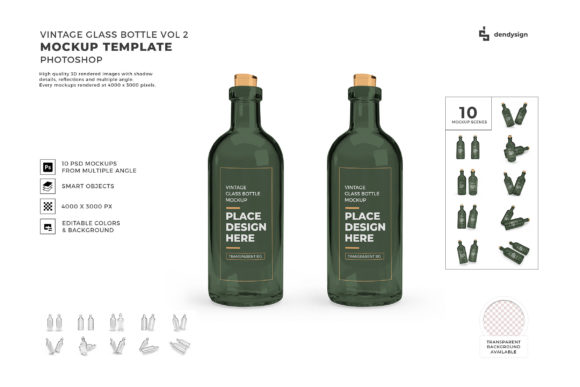
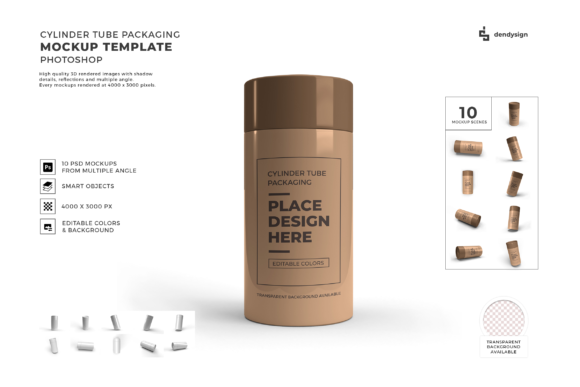
These mockups are built around cylinder-shaped containers: bottles, tins, tubes, canisters, and similar packaging. They come in layered Photoshop files (often PSD) with smart objects—you simply drag your label design onto the designated layer, and the mockup automatically adjusts to the shape, lighting, and perspective. Some bundles include multiple angles, environments, and even different lid colors or materials. The bundle is not just for professional designers; it’s for anyone who needs to present a physical product convincingly without a physical prototype.
Why Small Business Owners and E‑Commerce Sellers Rely on These Mockups
If you sell handmade beauty products, nutritional supplements, or gourmet food items online, product images are your most persuasive tool. A generic photo from a stock site doesn’t convey the care you put into your formulation. With a cylinder tube mockup, you can create a branded image that looks like it belongs on a premium skincare shelf. I’ve seen a small-batch soap maker use these mockups to test two label variations for a new body butter tube—she posted both versions to her social media followers and let them vote, all before she ever printed a single label. That kind of flexibility saves money and guesswork.
For Amazon or Etsy sellers, having a consistent set of mockups across different product lines builds trust. If you sell three different essential oil roll-ons, you can create a coordinated family of images using the same mockup bundle. The lighting and shadows stay identical, which makes your storefront look cohesive and professional. A buyer scrolling past a cluttered thumbnail image is more likely to stop on something that looks polished and real.
E-commerce platforms also reward high-quality images with better click-through rates. When you use a mockup that accurately represents the product’s scale, material (glass, plastic, metal), and finish (matte, glossy, frosted), customers are less likely to return an item because “it looked different in the photo.” Realism isn’t just about aesthetics—it directly affects conversion and return rates.
Designers and Creative Freelancers Save Hours of Client Revisions
If you’re a graphic designer or branding freelancer, you’ve probably spent late nights trying to explain to a client how their label will wrap around a round bottle. Flat proofs only go so far. Clients often struggle to visualize curvature, reflections, and how the text will read once bent around the cylinder. A cylinder tube 3D mockup bundle turns that abstract conversation into something tangible. You can drop the client’s design into a scene and show them exactly how it looks from the front, side, and even slightly angled. If the client wants to tweak the label size or color, you can update the mockup in minutes rather than rendering from scratch.
One packaging designer I know uses these mockups in her proposal decks. She sends a single slide with three mockups of a proposed can design—each with a different background (white studio, wood table, and lifestyle bathroom shelf). The client gets an instant feel for how the product will appear in different retail contexts. That kind of visual storytelling often seals the deal faster than any written explanation.
Moreover, freelancers often need to create portfolio pieces for products that haven’t launched yet. Instead of waiting for the actual packaging to be printed, you can build a polished portfolio using the same mockup bundle. This is especially useful for spec work or contest entries where you need to present a finished concept quickly.
Marketers and Content Creators Crafting On‑Brand Visuals
Marketers know that people scroll past text but stop at images. Whether you’re running Facebook ads, creating Pinterest pins, or designing an email newsletter launch sequence, you need visuals that arrest attention. Cylinder tube mockups give you the ability to produce lifestyle images that feel authentic. If your product is a protein powder canister, you might place the mockup on a gym bench with a shaker bottle nearby. If your product is a candle in a tin, put it on a coffee table with a book. The mockup bundle typically lets you insert your label, but the environment and lighting are already set—so you can focus on atmosphere instead of lighting setups.
Influencers and brand ambassadors also benefit when they need to promote a product before receiving physical samples. With permission from the brand, they can create early teaser content using branded mockups, building anticipation without waiting for international shipping. This is particularly common in beauty and wellness niches, where product launches are often teased weeks in advance.
Even if you’re a blogger writing a “best organic lotions” roundup, you can include product images that look like professional photography rather than screenshots from a brand’s website. Ethical use of mockups (clearly indicating they are mockups if required) can elevate the production value of your content without a studio rental.
Educators and Trainers Teaching Packaging Design Principles
In design classrooms or online courses, instructors need to explain how dielines work, how bleed and margins affect the final appearance, and how to consider the visual impact of a curved surface. A static two-dimensional dieline doesn’t show the rounded edges. Using a cylinder tube mockup, instructors can demonstrate what happens when text is placed too close to the edge—it wraps awkwardly. Students can create their own label designs and instantly see the result in a realistic 3D preview. This hands-on approach makes abstract concepts concrete.
For self-paced learners, a mockup bundle serves as a sandbox. You can experiment with different label placements, color schemes, and material finishes. If you’re teaching a course on surface pattern design, you can show how a pattern repeats around a tube and what happens at the seam. The mockup handles the rendering, so the student can focus on design decisions rather than technical hurdles.
Considerations Before You Buy a Cylinder Tube 3D Mockup Bundle
Not all mockup bundles are equal, and a few factors will determine whether you get real value or a frustrating file. First, check the file format and software compatibility. Most high-quality mockups require Adobe Photoshop with smart object functionality. If you use Affinity Photo or a different editor, look for a bundle that explicitly supports it. Some bundles also include non-editable JPEG previews—always read the description for editable PSD layers.
Second, consider the variety of containers included. A bundle might focus only on standard straight tubes, while others include tapered bottles, squat cans, or tubes with different cap styles (pump, spray, screw top). Think about your product categories. If you sell both a slim glass vial and a wide metal canister, a bundle that only offers one shape won’t serve you. Look for packs that offer multiple perspective angles: straight on, two‑thirds view, top‑down, and perhaps even a staged lifestyle scene.
Third, resolution matters. For social media, 1080 px wide images might suffice, but if you plan to print catalog sheets or large ad banners, you need high‑resolution mockups (300 DPI or larger). Check the dimensions and scaling options. Some bundles allow you to generate different resolutions without losing quality.
Fourth, read the license terms carefully. Many bundles are for personal and commercial use, but some restrict how many projects you can use the mockup for or limit distribution. If you’re a freelancer creating assets for multiple clients, a multi‑use license or royalty‑free terms are essential. Also, verify whether you can modify the mockup elements (like changing background colors or adding props) without violating the license.
Finally, look for user reviews that mention ease of use. A good bundle comes with clear instructions and organized files. Avoid bundles that require manual layer adjustments or plugins—they can turn a five‑minute task into an hour of frustration.
Making the Most of the Mockups in Your Workflow
Once you have the bundle, start by organizing your label designs as separate layers or smart objects. Keep a master file of your label artwork with bleed and fold marks, then duplicate and place into mockups as needed. Many users create a repeating pattern of mockup scenes—one white background, one earthy flat lay, one with a hand holding the product—and cycle through them for different marketing channels. Consistency across your visual assets builds brand recognition.
If you are launching a subscription box or a product line, consider using the same mockup to create a series of images that show the product from multiple angles. Rotate the tube, zoom in on the cap, or show it open with contents spilling out (if the mockup allows). Even slight changes keep the audience engaged without extra work.
For A/B testing ad creatives, mockups let you generate two variants quickly. Run one ad with a clean studio shot and another with a lifestyle scene. Compare click‑through rates and see which resonates. The low‑cost, high‑speed nature of mockups makes them a marketer’s secret weapon for rapid iteration.
Final Thoughts on Choosing the Right Mockup Bundle
The Cylinder Tube Packaging 3D Mockup Bundle is a tool that bridges the gap between a designer’s screen and the physical shelf. It saves time, reduces printing waste, and helps you communicate your vision to clients, customers, and collaborators. Whether you are a solopreneur testing a new label, a marketing team preparing a launch campaign, or an educator demonstrating packaging structure, these mockups offer a practical shortcut to professional visuals. Just remember to pick a bundle that matches your product dimensions, your software environment, and your usage rights. With the right set of templates, you can go from flat artwork to lifelike product image in a few clicks—and that kind of efficiency is something every creator can appreciate.